
Service & Maintenance
What it is for
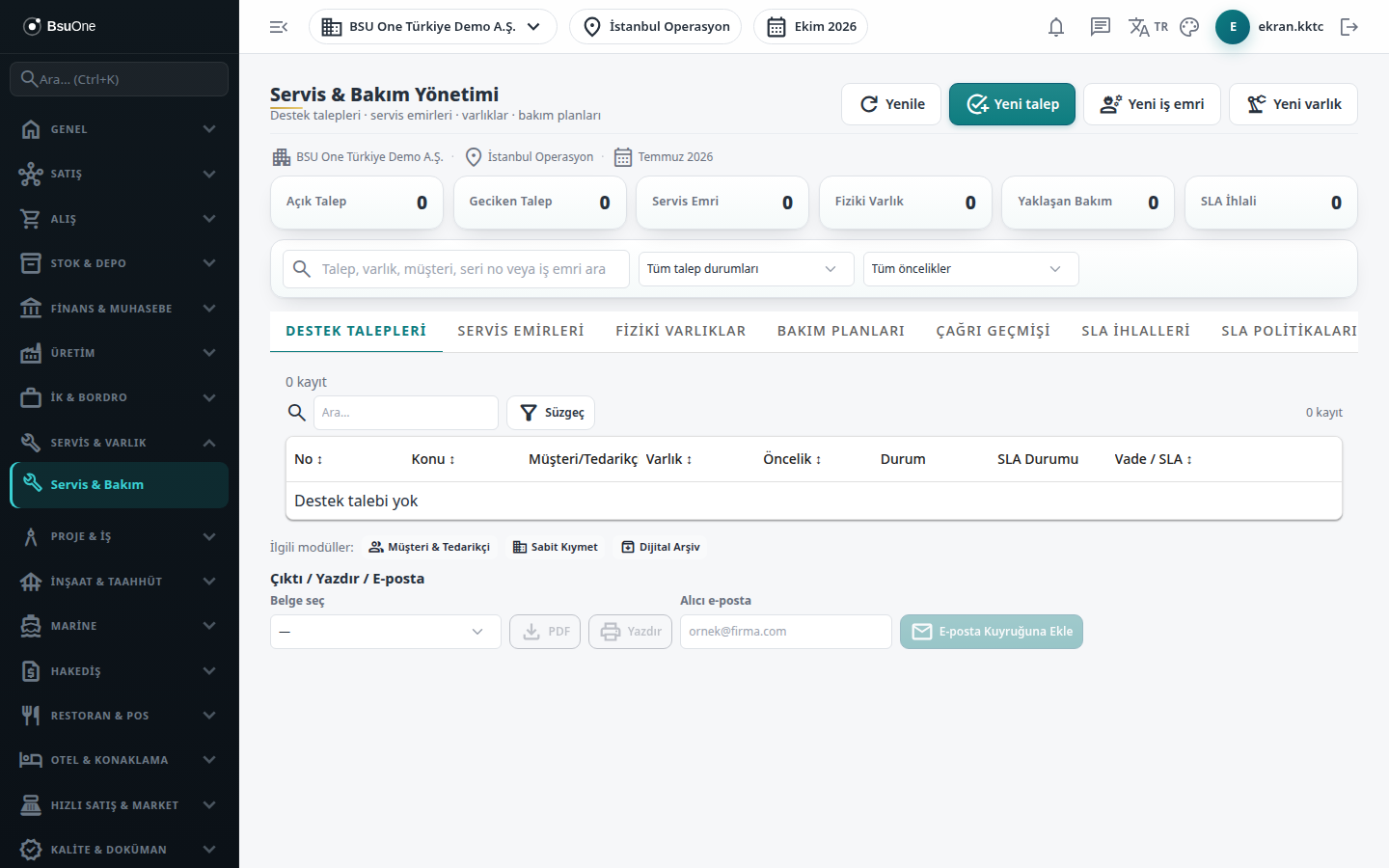
Section titled “What it is for”Service & Maintenance Management (Servis & Bakım Yönetimi) manages customer support requests, field and device repair work orders, the physical assets you service and periodic maintenance plans together. For requests the SLA target is followed and breaching requests are escalated; when a work order is completed the parts used are deducted from stock and a service invoice is cut to the customer. Device repair work has acceptance, diagnosis, status history and delivery. The cards at the top show Open Requests, Overdue Requests, Service Orders, Physical Assets, Upcoming Maintenance and SLA Breaches. Refresh reloads the lists.
The module’s Asset Maintenance package must be open in the company.
Who uses it
Section titled “Who uses it”Call center / support staff, the service coordinator, technicians, the service accountant and the service manager. On the Service & Maintenance page of the role screen, View, Add, Edit and Delete are given separately.
Screens
Section titled “Screens”- Support Requests (Destek Talepleri)
- Service Orders (Servis Emirleri)
- Physical Assets (Fiziki Varlıklar)
- Maintenance Plans (Bakım Planları)
- Call History (Çağrı Geçmişi): all events collected in one place.
- SLA Breaches (SLA İhlalleri)
- SLA Policies (SLA Politikaları)
- Technicians (Teknisyenler)
- Device Types (Cihaz Tipleri)
- Fault Definitions (Arıza Tanımları)
- Service Settings (Servis Ayarları)
Typical workflow
Section titled “Typical workflow”- Prepare the catalogs first: device types, fault definitions, technicians and SLA policies.
- Enter the devices you service under Physical Assets and, if needed, under Maintenance Plans.
- Open a customer notification with New request on Support Requests; from the request create a service order with Create work order.
- In the work order enter device acceptance and diagnosis, advance the status, add parts and labor, close with Complete & Invoice, and hand the device over with Mark as Delivered.
- Follow requests that exceed the SLA under SLA Breaches.
Related modules
Section titled “Related modules”Step-by-step screen guides are currently available in Turkish; the links above open them.