
Hotel / PMS
What it is for
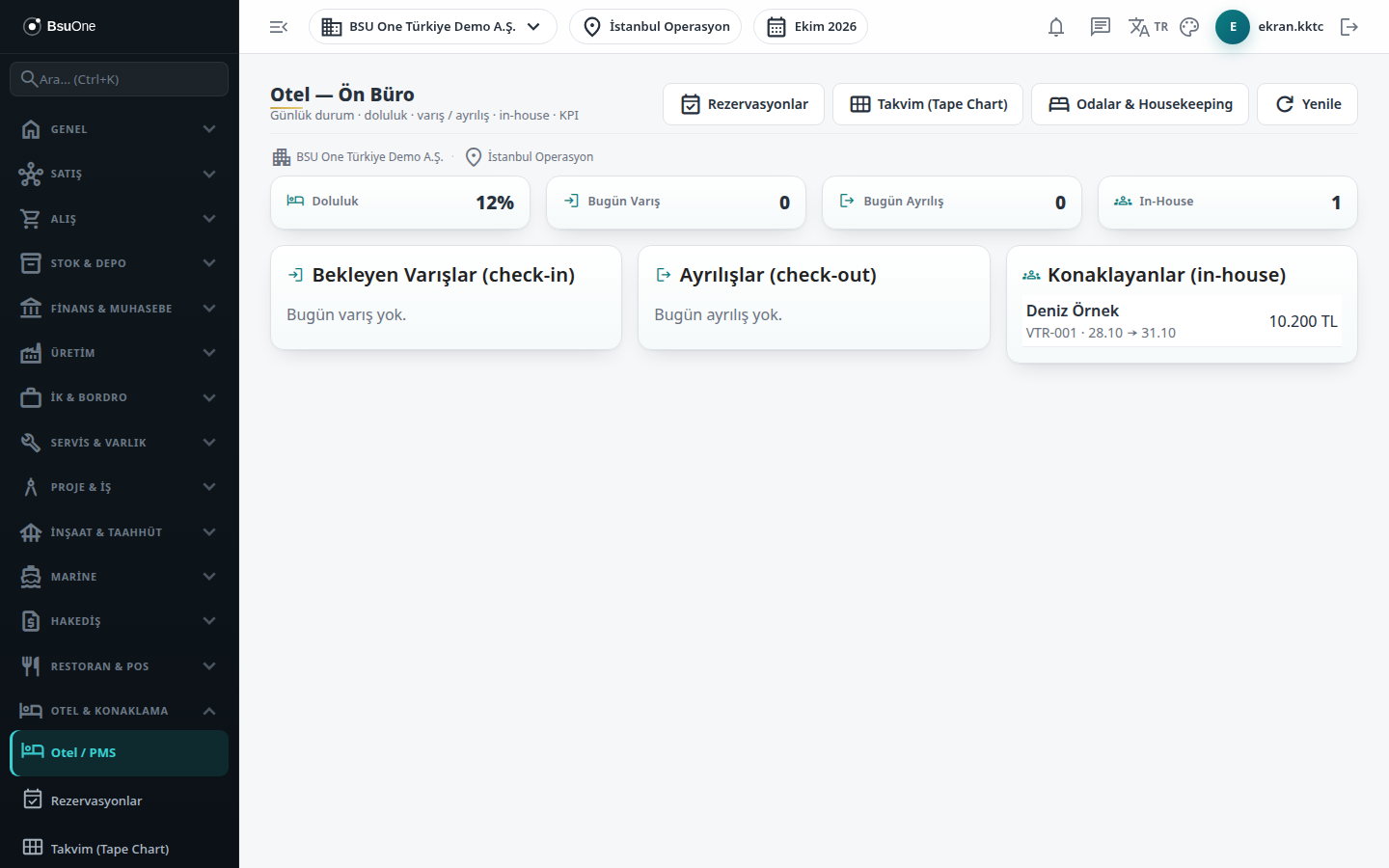
Section titled “What it is for”Hotel - Front Office (Otel — Ön Büro) is the start page of the Hotel package. It shows the branch’s daily situation at a glance: occupancy percentage, guests arriving and leaving today, and guests currently in the hotel. From here you Check in an arriving guest and Check out a leaving guest; check-out turns the guest account (folio) into a sales invoice.
The Hotel package consists of these screens: Reservations, Calendar (Tape Chart), Rooms & Housekeeping, Room Types & Rates and Guests.
Who uses it
Section titled “Who uses it”Reception, the front-office officer and the hotel manager. On the Hotel Management page of the role screen, View opens the screen and Edit shows the Check-in and Check-out buttons, which are hidden from users without it.
Screens
Section titled “Screens”- Four top cards: Occupancy (in-house guests against active rooms), Arrivals Today, Departures Today and In-House.
- Pending Arrivals (check-in): today’s confirmed reservations; press Check-in when the guest arrives.
- Departures (check-out): guests leaving today; press Check-out and confirm to close the folio and cut the sales invoice.
- In-house: guests in a room, with room number, dates and reservation total.
- Navigation buttons: jump to Reservations, Calendar and Rooms & Housekeeping; Refresh reloads the lists.
Related modules
Section titled “Related modules”Step-by-step screen guides are currently available in Turkish; the links above open them.