
Training
What it is for
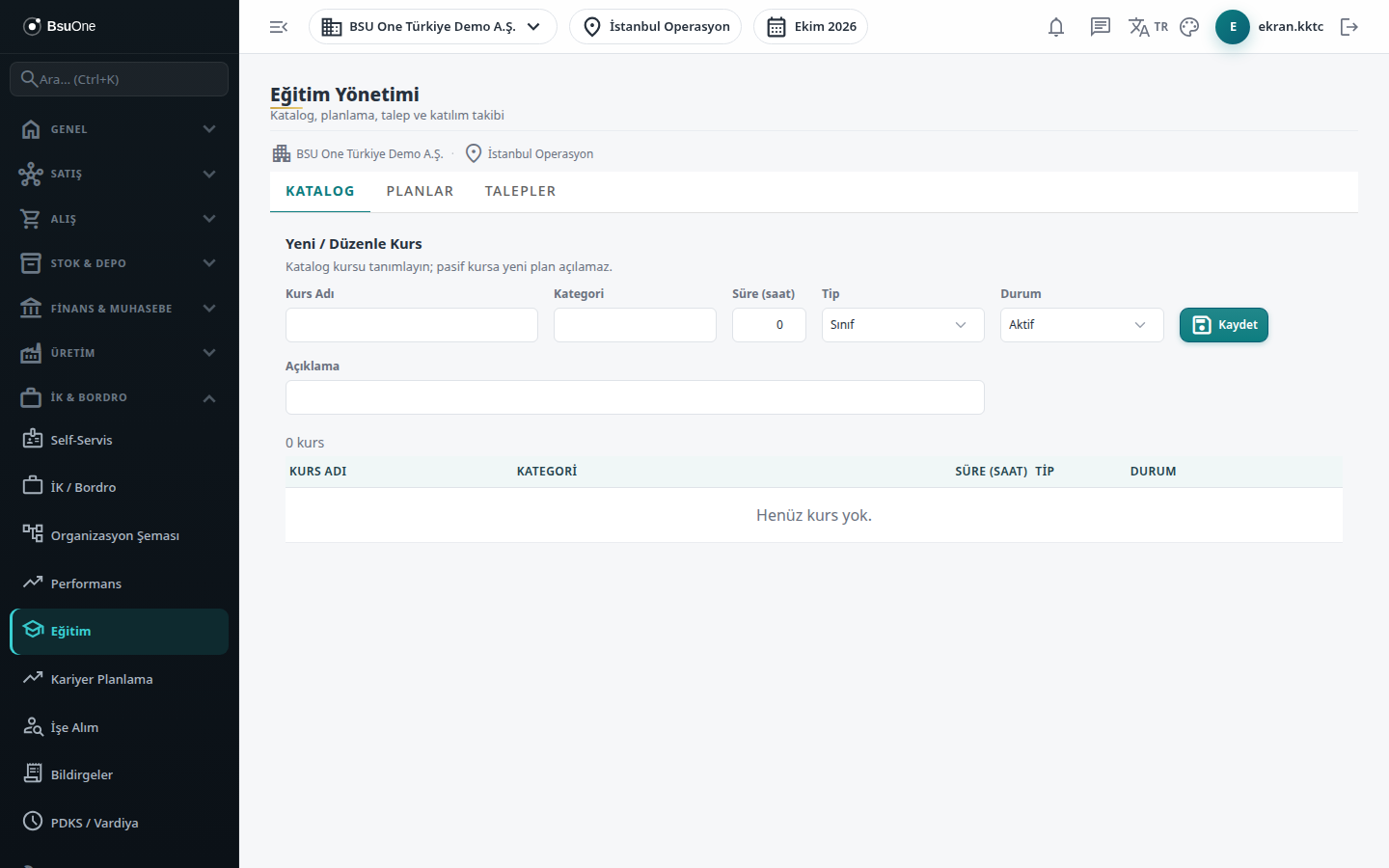
Section titled “What it is for”Training Management (Eğitim Yönetimi; “Catalog, planning, request and attendance tracking”) lets you manage the training given to staff in one place. You first define a course, then put the course in the calendar as a plan, enroll staff in the plan and mark attendance. Training requests opened for staff are also approved or rejected by HR on the same screen.
Who uses it
Section titled “Who uses it”HR officers and training officers. Training uses no separate permission page: the permissions of the Human Resources page apply. View shows the screen, Add creates courses, plans, enrollments and requests, Edit changes plan status and attendance, and Approve decides on a request. Without View the screen does not open and only an access warning appears.
Screens
Section titled “Screens”- Catalog (Katalog): course definitions (name, category, duration, type, status).
- Plans (Planlar): the selected course’s calendar, quota, enrollment and attendance marking.
- Requests (Talepler): a training request on behalf of staff and the approve / reject decision.
Typical workflow
Section titled “Typical workflow”- Define the course on the Catalog tab.
- Click the course name and open a dated plan on the Plans tab, enroll staff and mark attendance.
- If staff ask for a training, open a request on the Requests tab; an authorized user decides with Approve or Reject.
Related modules
Section titled “Related modules”Step-by-step screen guides are currently available in Turkish; the links above open them.