
Portfolio Dashboard
What it is for
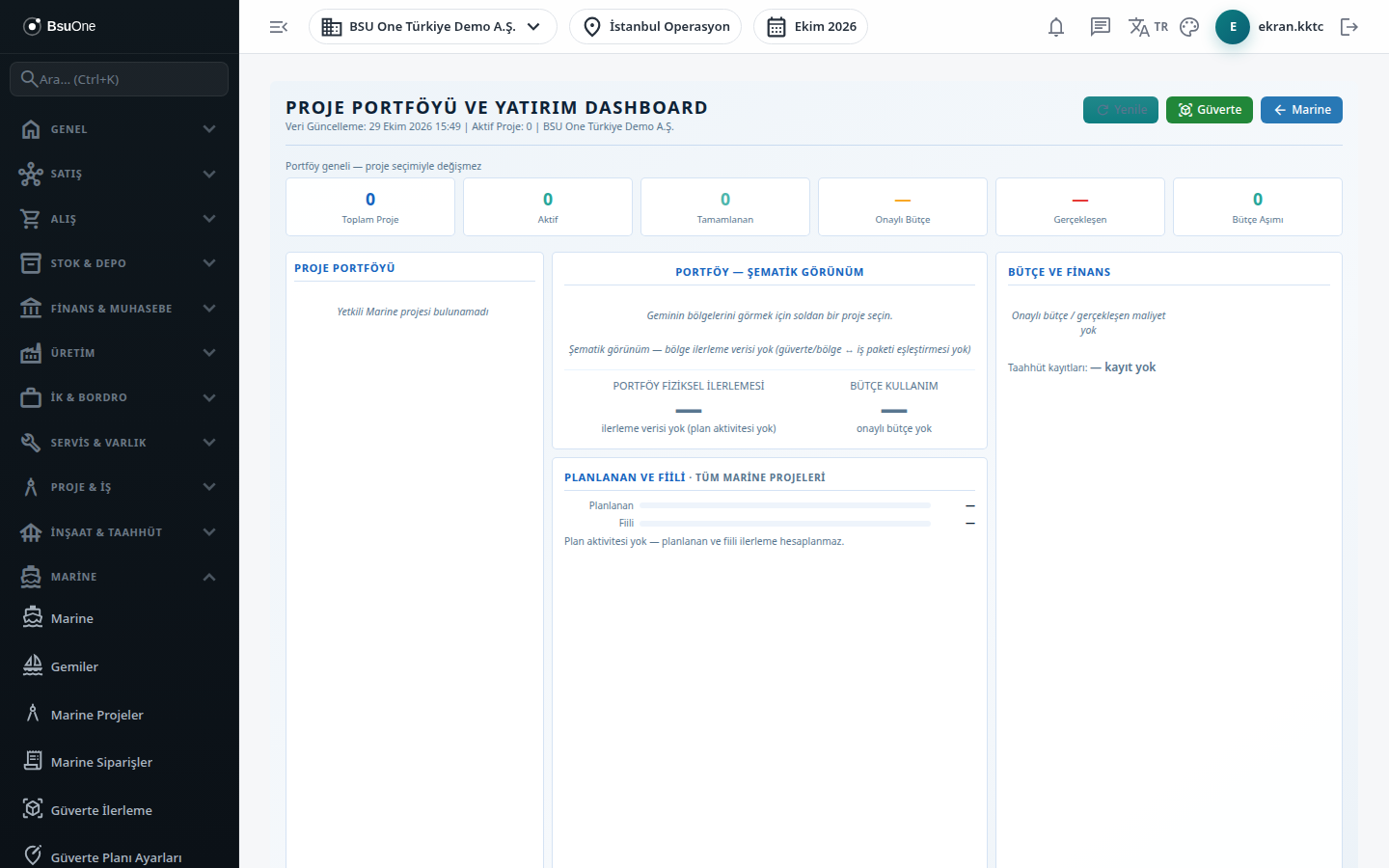
Section titled “What it is for”The Project Portfolio & Investment Dashboard gathers the company’s Marine projects on one screen. On the left is the project list, in the middle the vessel’s deck plan, progress and timeline, and on the right the budget / cost, work orders, risk signals and claim summary.
The dashboard only reads; nothing is entered here. In the end-to-end flow it is a summary of all Marine records:
- Budget: the current amount of Approved items on the Marine Budget screen.
- Actual and committed: records with Actual and Committed basis on the Marine Costs screen.
- Physical progress and timeline: plan activities and work packages in Project Management.
- Work orders: Marine-sourced work orders.
- Claim summary: the claims on the Marine Claims screen.
When reading the dashboard these rules apply:
- Different currencies are not added or converted. Each currency appears on its own line with its own code; budget and actual are compared only in the same currency.
- No zero is written when there is no data. With no plan activity progress shows ”-”; with no approved budget the budget shows ”- no approved budget”, and if comparison is impossible ”- not comparable”.
- The dashboard does not calculate the critical path. The number shown is the count of activities last saved in the plan as “marked critical” and may not be current.
Who uses it
Section titled “Who uses it”The company manager, project managers and finance / control staff. View on the Marine page is needed. The Claim Status section additionally needs View on the Claims page; without it the section is not drawn at all.
Screens
Section titled “Screens”- Header line: data update time, active project count and company; Refresh reloads and Deck goes to deck progress.
- Portfolio indicators (do not change with project selection): Total Projects, Active, Completed, Approved Budget, Actual and Over Budget.
- Project Portfolio list: a card per project with vessel name, code, type, status, hull silhouette, budget, delivery month (planned finish) and physical progress; click to select.
- Middle section: the deck plan and the PHYSICAL PROGRESS indicator of the selected project (or the portfolio). Zone percentages come only from plan activities tied to that zone.
- Right section: Budget & Finance (per currency: budget, actual, remaining and committed records), work orders and risk signals.
- Budget / Schedule Signals: only two signals are followed: the number of projects over budget and the number of delayed projects (active projects whose planned finish is before today).
- Claim Status: per currency, the claim count and the approved and pending amounts; cancelled, reversed and superseded claims are not counted.
Related modules
Section titled “Related modules”- Marine Budget
- Marine Costs
- Marine Claims
- Marine Projects
- Deck Plan Settings
- Deck Progress
- Work Orders
Step-by-step screen guides are currently available in Turkish; the links above open them.