
Roles / Groups
What it is for
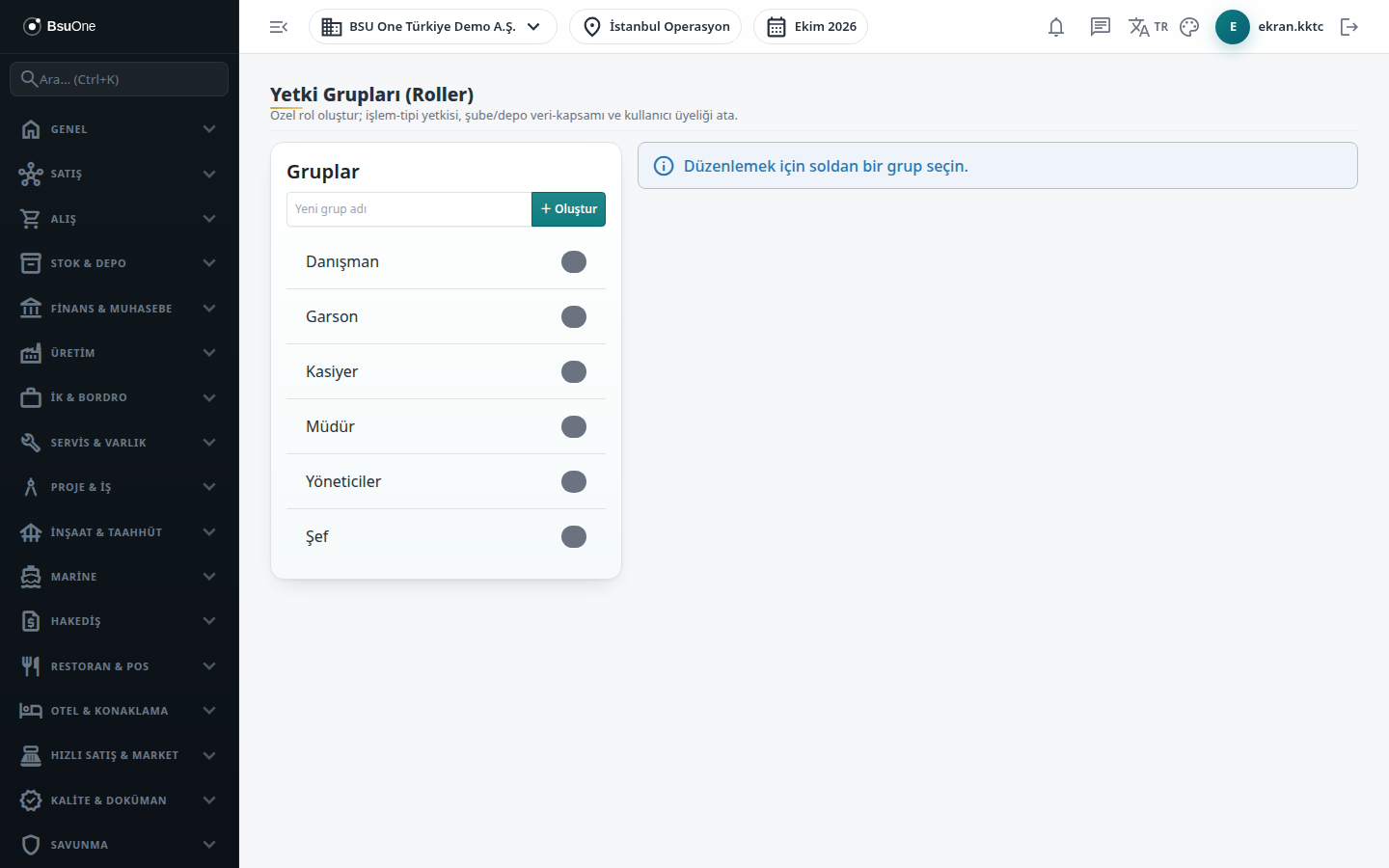
Section titled “What it is for”On Permission Groups (Yetki Grupları; the screen title reads “Permission Groups (Roles)”) you prepare permission packages by job description, for example “Accounting” or “Warehouse Officer”. In one group you manage transaction type permissions, page (module) permissions, branch and warehouse scope and member users together. A user can be a member of several groups; their effective permission is the union of their own direct permissions and the permissions of all their groups.
Who uses it
Section titled “Who uses it”Administrators and users with View on the User Management page. Edit on the same page is needed to change permissions. You cannot change your own permission or that of a group you belong to, and you cannot give someone a permission you do not hold yourself.
Screens
Section titled “Screens”- Groups list (Gruplar): existing groups; New group name and Create; select a group on the left to edit it, Rename or Delete it (with a confirmation that all its permission, scope and membership records are deleted).
- Transaction Type Permissions: for each transaction type (document type) tick Read, Write and Delete, then Save Permissions.
- Page Permissions (By Module): pages grouped by module with View, Add, Edit, Delete and Approve cells.
- Sector Solutions: tick the sector packages the group covers (for example Restaurant for a “Restaurant Manager” group); this link is for editing convenience only and does not change existing permission or license.
- Branch / Warehouse Scope: choose a Branch, optionally a Warehouse (empty = all warehouses) and Add; once you add scope the group works only in the listed scope.
- Members: tick the users in the group and press Save Members.
Related modules
Section titled “Related modules”Step-by-step screen guides are currently available in Turkish; the links above open them.