
Product Cards
What it is for
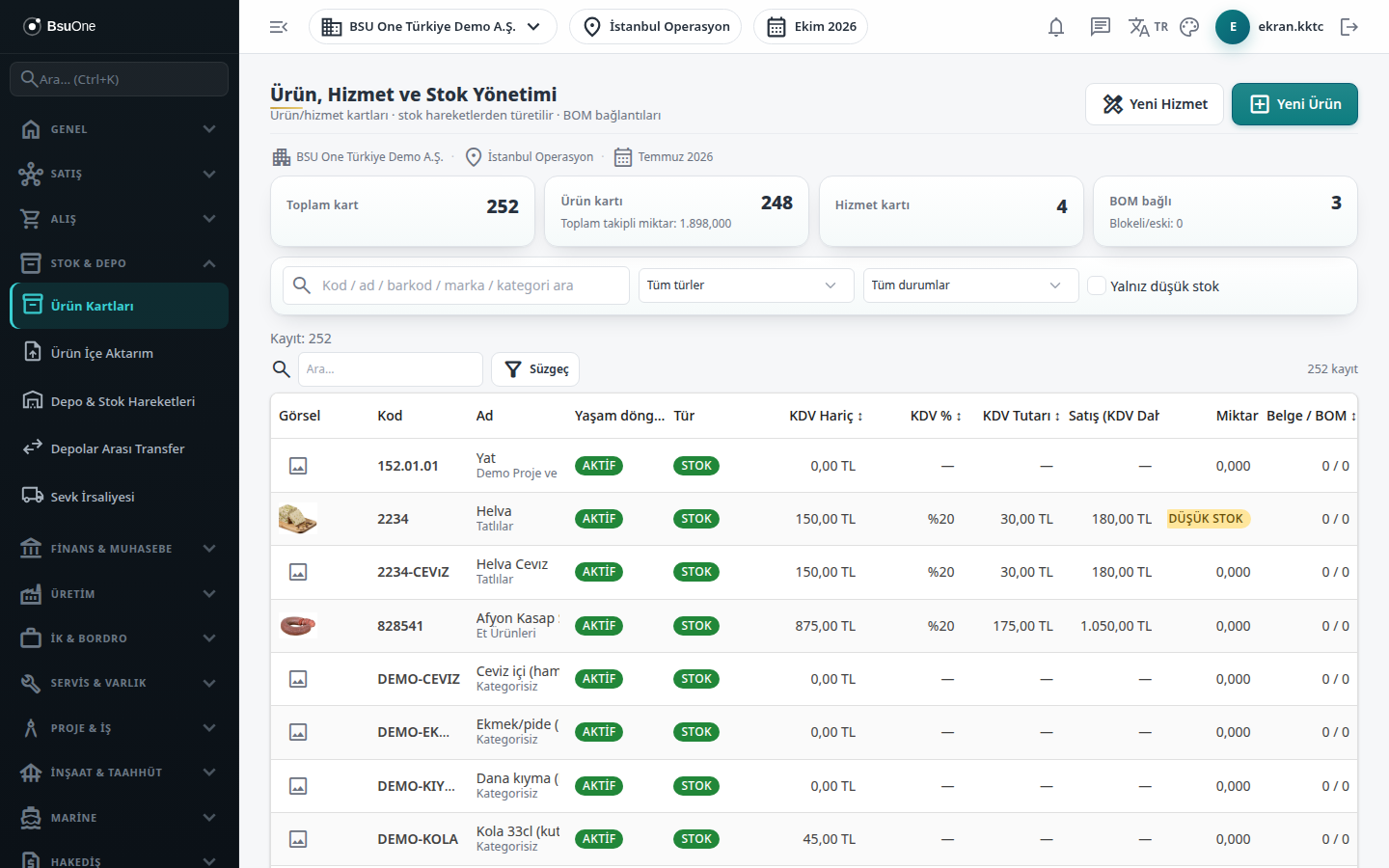
Section titled “What it is for”Product Cards (Ürün Kartları; “Product, Service and Stock Management”) holds the catalog cards of every product and service that is sold, bought and produced. The stock quantity is not typed on the card; it is derived from stock movements. Invoice, order, menu and sales screens pick the product from this card.
The summary boxes at the top show Total cards, Product cards, Service cards and BOM linked. The list has a search box (code / name / barcode / brand / category), type and status filters, an Only low stock option and filtering by custom field.
Who uses it
Section titled “Who uses it”Stock and product officers, purchasing and sales staff. On the Stock / Inventory page of the role screen: View to see the list and card, Edit to save a card (Add for a new card), Delete to delete one.
Screens
Section titled “Screens”- New Product (stock tracked) and New Service (not stock tracked); click a code to open an existing card. Press Save after changes. Card tabs:
- Price / VAT (Fiyat / KDV): sale / purchase price, dated VAT band and its history, price including VAT.
- Variants (Varyantlar): variant cards from dimensions such as color / size.
- Units (Birimler): alternative units (such as box = 12 pieces).
- Barcodes (Barkodlar): several barcodes, box barcode.
- Warehouse Stock (Depo Stokları): balance by warehouse, reserved, ATP, warehouse thresholds.
- Stock Movements (Stok Hareketleri): the card’s stock ledger.
- BOM (Reçete / BOM): product trees linked to the card.
- General (Genel): code, name, category, type, life cycle.
- Behavior (Davranış): sellable / purchasable flags, tracking, thresholds, dimensions.
- Documents (Belgeler): documents the product appears in.
- Image & Drawing (Görsel & Çizim): product images and technical drawings.
- Digital Archive (Dijital Arşiv): the card’s attachments.
- Custom Fields (Özel Alanlar): extra fields the company defined.
- Audit Trail (Denetim İzi): who changed what and when.
Related modules
Section titled “Related modules”Step-by-step screen guides are currently available in Turkish; the links above open them.