
Returns & Legal Filings
What it is for
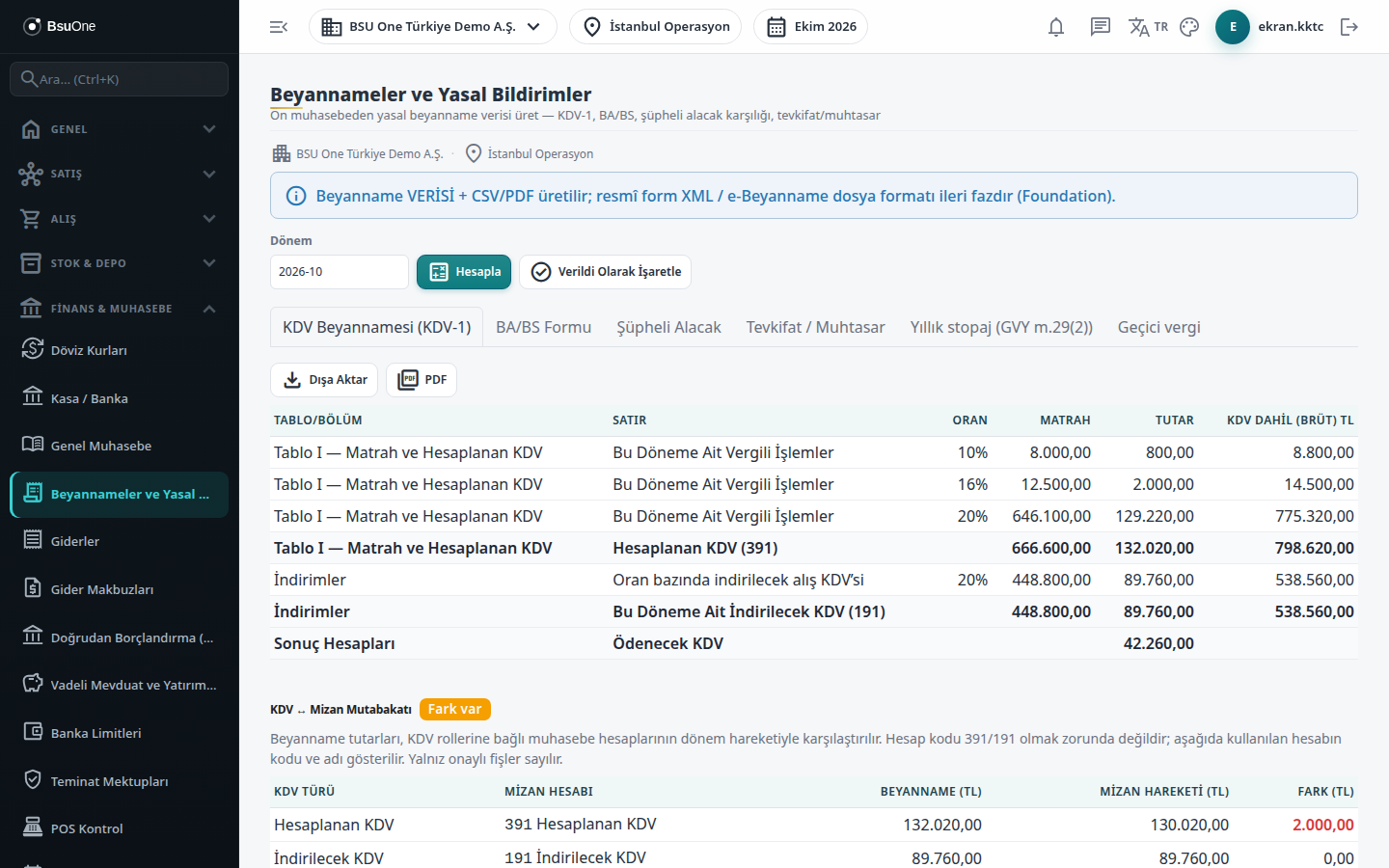
Section titled “What it is for”This screen extracts the data for statutory returns and notifications from your accounting records: the VAT return, the Ba/Bs list, the withholding summary, the annual withholding list and the provisional tax draft. It is also where you post the provision entry for overdue customer receivables.
Amounts come from approved documents and entries of the period. Each document carries the VAT and withholding information from the moment it was recorded, so a closed period is not recalculated if rates change later. BSU One produces CSV/PDF and, in North Cyprus, the official VAT 1a/VAT 1 file; it does not file the return on the tax office portal itself and does not produce an e-return file format.
Who uses it
Section titled “Who uses it”Accounting and finance staff. View on the General Ledger page opens the screen; Add allows marking a return as filed and posting offset and provision entries; Export allows CSV/PDF and official file downloads.
Screens
Section titled “Screens”- VAT Return (KDV-1) (KDV Beyannamesi): VAT return data, ledger reconciliation, offsetting, and the official VAT 1a/VAT 1 output in North Cyprus.
- BA/BS Form (BA/BS Formu): purchase/sales list, shown only in countries that have a threshold line.
- Doubtful Receivables (Şüpheli Alacak): provision entry for overdue receivables.
- Withholding / Summary (Tevkifat / Muhtasar): VAT withholding and income/corporate withholding summary with counterparty breakdown.
- Annual withholding (Yıllık stopaj): annual list from approved payroll and the statutory certificate (North Cyprus).
- Provisional tax (Geçici vergi): quarterly provisional tax draft (North Cyprus, liable companies).
Typical workflow
Section titled “Typical workflow”- Open the screen, type the month in the Period box and press Calculate.
- On the VAT tab, check the figures and ledger reconciliation, offset the VAT period if needed, and take the official output.
- Check the withholding tab and set aside provisions on the doubtful receivables tab.
- At year end use the annual withholding and, if you are liable, provisional tax tabs.
- After filing, press Mark as Filed; this locks the period for new entries.
Related modules
Section titled “Related modules”Step-by-step screen guides are currently available in Turkish; the links above open them.