
Companies & Licensing
What it is for
Section titled “What it is for”On Companies & Licensing (Firmalar & Lisanslama) you open and edit your companies and each company’s branches, and set their countries. The country chosen when a company is created decides which legislation its tax and document rules follow, and if the country has a ready chart of accounts template it is loaded into the company automatically. The country cannot be changed after saving.
Who uses it
Section titled “Who uses it”Administrators and users with View on the Settings page. The screen opens from the Companies & Licensing card in System Settings.
Screens
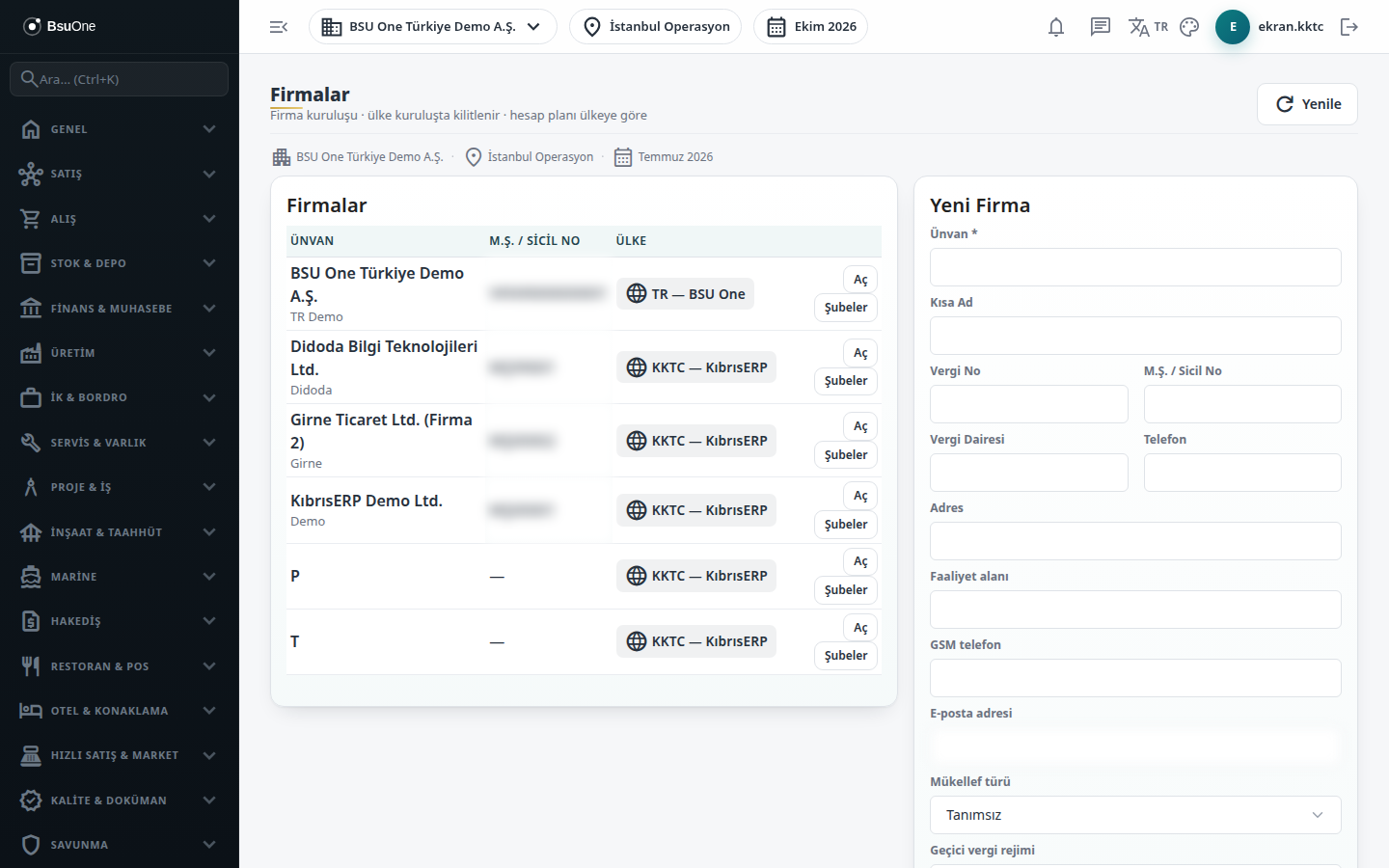
Section titled “Screens”- Companies table (Firmalar): title, registry number and country of each company; Refresh reloads it.
- New Company form (Yeni Firma): title is required; short name, tax number, registry number, tax office, phone, address, activity area, mobile phone and e-mail are optional. Choose the Country (localization package) here; a badge warns when there is no chart of accounts template.
- Edit Company (Firmayı Düzenle): opened with Open on a row; the country is locked. For multi-branch companies set the default POS branch.
- Branches (Şubeler): per-company list with code, name and country, plus a New Branch form.
Related modules
Section titled “Related modules”Step-by-step screen guides are currently available in Turkish; the links above open them.