
Custom Fields
What it is for
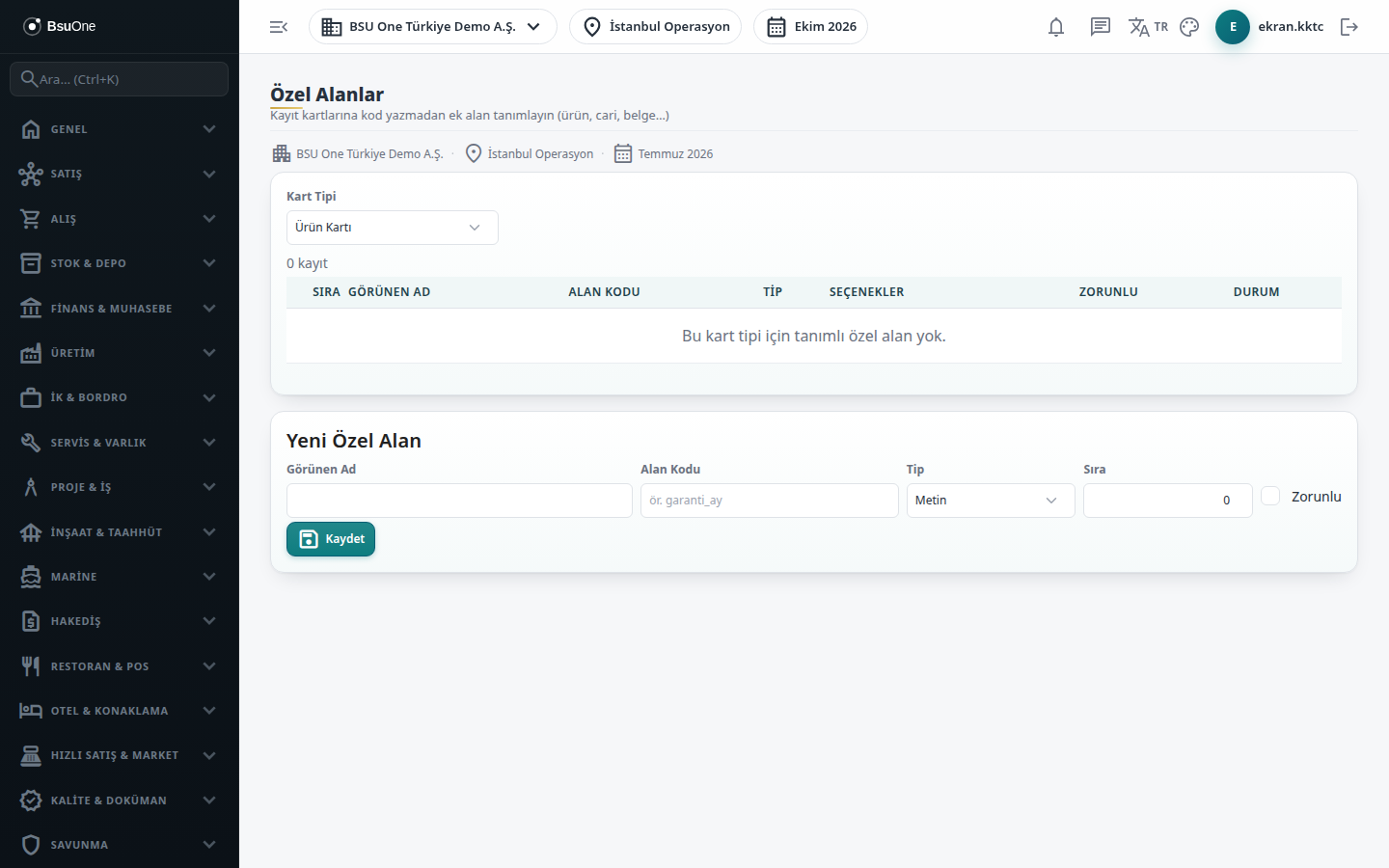
Section titled “What it is for”With Custom Fields (Özel Alanlar) you add your own fields to your cards, for example “Warranty period (months)” on a product card or “Sector” on an account card. The field is defined here; the value is entered on the Custom Fields tab of the relevant card. Definitions are per company.
Who uses it
Section titled “Who uses it”Administrators and users with View on the Settings page see the definitions. Edit is needed to add or change a field and Delete to remove one.
Screens
Section titled “Screens”- Card type list (Kart Tipi): choose Product Card, Account Card or Document; the table shows existing fields with order, display name, code, type, options, required and status.
- New Custom Field form: display name, field code (up to 60 characters), type (text, number, date, yes/no, choice), order, and required.
- Options: for a choice type, type the options separated by commas.
- Row actions: edit (the field code does not change), pause/resume (only active fields are asked on cards) and delete.
Related modules
Section titled “Related modules”Step-by-step screen guides are currently available in Turkish; the links above open them.