
Acceptance & Delivery
What it is for
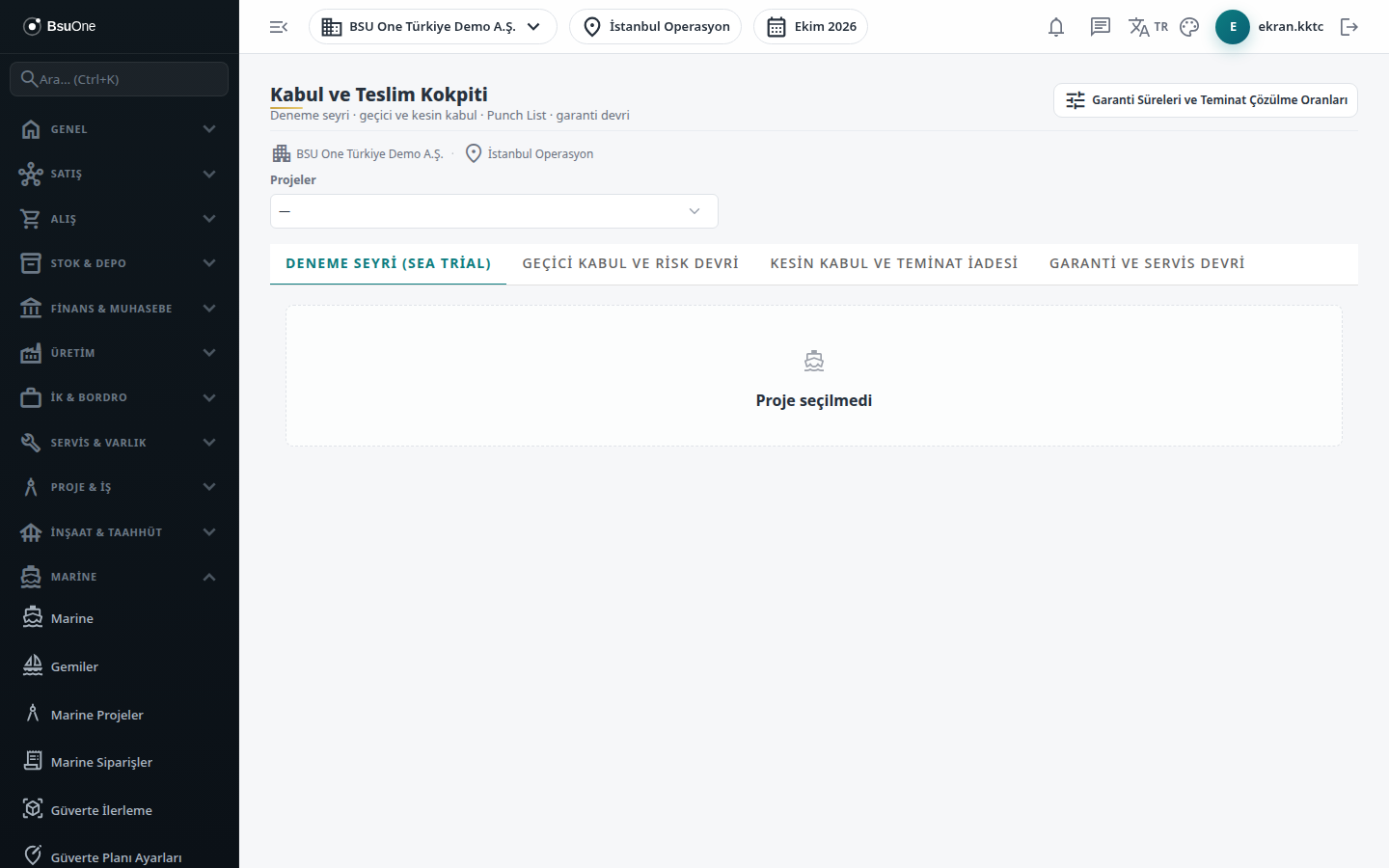
Section titled “What it is for”The Acceptance & Handover Cockpit (Kabul ve Teslim Kokpiti) manages the handover of a Marine project on one screen: sea trial, provisional acceptance, warranty period, final acceptance and the defect list (Punch List) opened at each stage. The order of acceptance is fixed:
- The Sea Trial protocol is approved.
- Provisional Acceptance is approved: the warranty starts, part of the retention is released and the vessel is handed over to the service asset with a warranty.
- During the warranty period, Warranty Period Findings protocols and service requests are followed.
- After the warranty ends, Final Acceptance is approved and the remaining retention is released.
Each protocol opens as a Draft, is sent for review, and is approved or rejected. At approval the product runs its rule checks; a protocol that does not comply is not approved and says why.
In the end-to-end flow this module comes after Marine Orders and Marine Claims: the retention release is calculated from the retention balance held in the claims.
Who uses it
Section titled “Who uses it”Project manager, quality/technical officer, finance and service officer. On the Marine page of the role screen: View opens the screen; Add creates a protocol; Edit sends a protocol for review, adds a defect, marks it resolved, assigns a work order and links the service asset; Approve approves or rejects a protocol, verifies a defect and hands a minor defect over to the warranty.
Screens
Section titled “Screens”- Project selector (Projeler): the project header shows its acceptance status.
- Sea Trial (Deneme Seyri (Sea Trial))
- Provisional Acceptance and Risk Transfer (Geçici Kabul ve Risk Devri)
- Final Acceptance and Retention Release (Kesin Kabul ve Teminat İadesi)
- Warranty and Service Handover (Garanti ve Servis Devri)
- Punch List (Kusur Listesi): at the bottom of every tab and project-wide, showing the same defects whichever tab you open.
Typical workflow
Section titled “Typical workflow”- Open Acceptance & Handover from the Marine menu and pick the project.
- Work through the tabs in order. Each protocol goes Draft, then In Review (Send for Review), then Approved or Rejected.
- Add and resolve defects on the Punch List as they appear.
Related modules
Section titled “Related modules”Step-by-step screen guides are currently available in Turkish; the links above open them.