
Reporting
What it is for
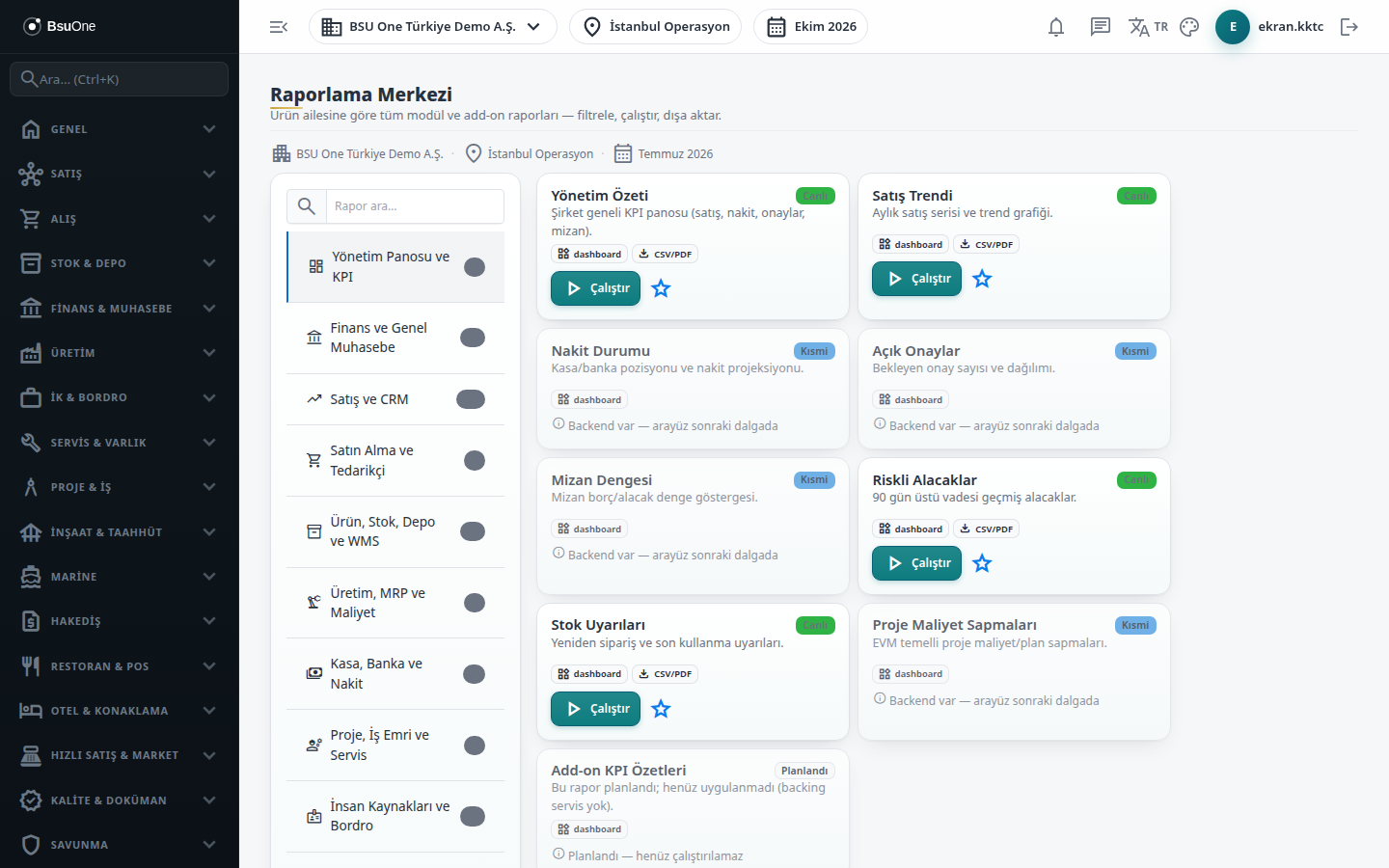
Section titled “What it is for”The Reporting Center (Raporlama Merkezi) lists the reports of all modules and add-ons in BSU One in one place. You pick a family from the product family list on the left, and that family’s report cards appear on the right. With Run (Çalıştır) on a card the report opens with a filter panel; you see the result in a table, download it as PDF or Excel, or print it.
For needs outside the catalog there are Advanced Tools: a Custom Report where you choose the columns and filters yourself, and Pivot Analysis, which produces a row-by-column cross table.
Who uses it
Section titled “Who uses it”Managers, accounting and the person responsible for each module. To see a report card you need View on the permission page of the module the report belongs to; the administrator sees all. For Advanced Tools, View on the General Ledger page is required; saving a custom report definition needs Add and deleting a saved definition needs Delete (Settings › Roles).
Screens
Section titled “Screens”- Product family list (left): the families and the number of reports visible in each; the catalog groups reports as Management Dashboard and KPI, Finance and General Ledger, Sales and CRM, Purchasing and Supplier, Product / Stock / Warehouse / WMS, Production / MRP / Cost, Cash / Bank / Cash Flow, Project / Work Order / Service, HR and Payroll, Legislation / Tax / Declarations, Digital Archive / Audit / System, and Add-on and sector reports.
- Search (Rapor ara…): works across all families.
- Report card: status (Live, Partial, Basic, Planned), the module it belongs to, the supported export formats and a Schedulable tag if it exists.
- Report panel: filters such as Start / End (or a single “as of” date) and options like “Only overdue”; the result table shows the data cut-off time, and a link icon on a row opens the source record.
- Export: PDF, Excel (where the report supports CSV) or Print; Back returns to the cards.
- Custom Report (Özel Rapor) and Pivot Analysis (Pivot Analiz) under Advanced Tools.
The status label shows the maturity seen on the card: Live is fully working, Partial and Basic have limited scope, and Planned cannot be run yet. Your cards list only the reports you have permission for and whose package is open.
Related modules
Section titled “Related modules”Step-by-step screen guides are currently available in Turkish; the links above open them.