
Project Management
What it is for
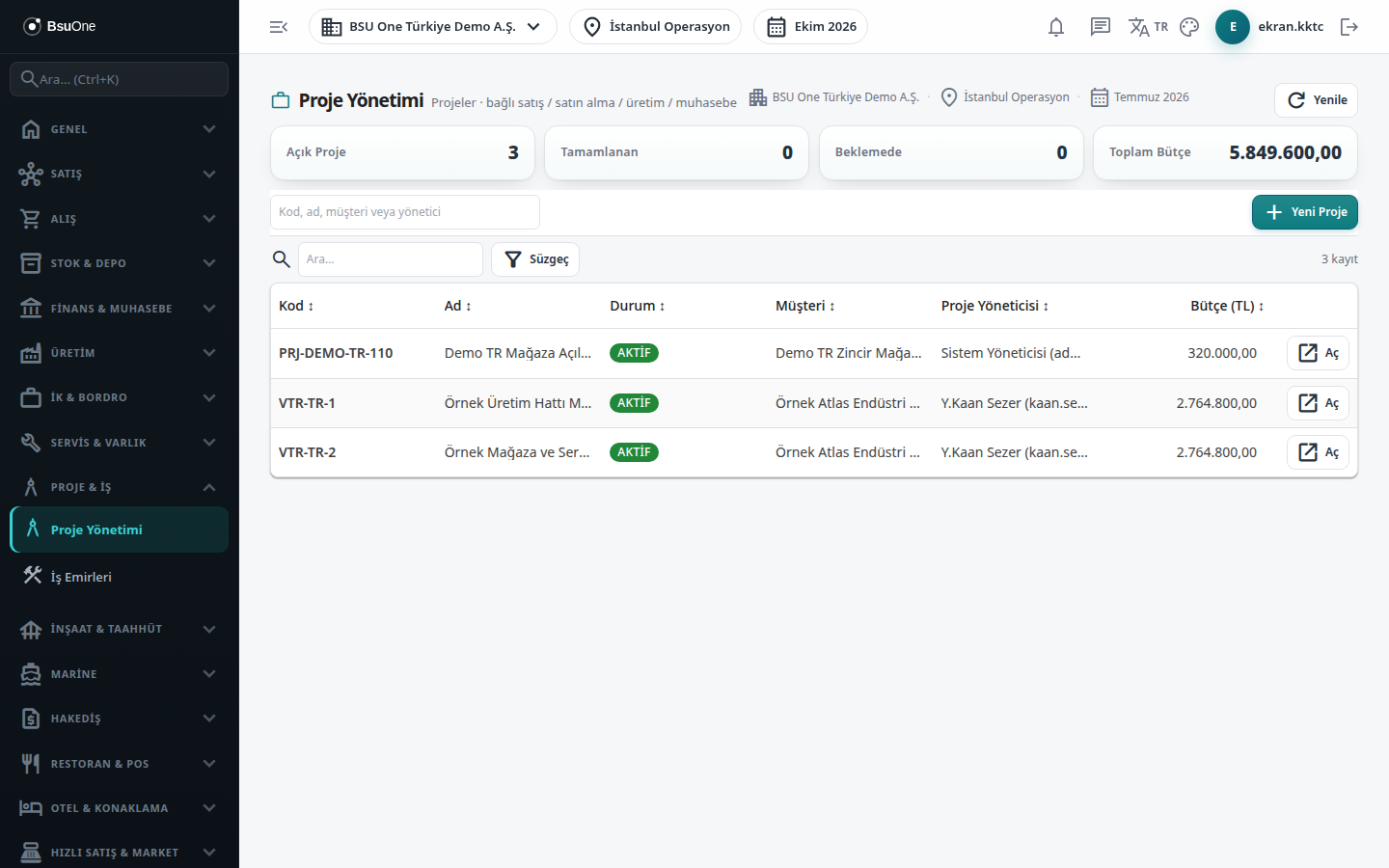
Section titled “What it is for”Project Management (Proje Yönetimi) gives the list of the company’s projects and a cockpit for each. In the cockpit the project’s revenue (approved sales), cost (approved purchases), margin and budget gap appear in the top boxes, and earned value (EVM) indicators are in a drawer that opens. Below are tabs for the project’s general information, work breakdown structure (WBS), plan, linked sales and purchase documents, project jobs, kanban board, accounting actuals and the digital archive.
A project is the common dimension to which construction contracts and documents in other modules are tied.
Who uses it
Section titled “Who uses it”Project managers, planning and site office, cost control and accounting staff. On the Projects page of the role screen: View to see the list and cockpit, Add to add a project and sub-records, Edit to update, Delete to delete and deactivate.
Screens
Section titled “Screens”- Summary boxes: Open Projects, Completed, On Hold and Total Budget; a search box (code, name, customer or manager).
- New Project drawer: code, name, customer, project manager, budget (TL), start and end.
- Project cockpit (open with Open on a row): the tabs General, WBS & Cost Code, Plan / Gantt Core, Sales, Purchasing and more.
- Actions strip (İşlemler): start a linked Sales Document, Purchase Request, Production Order, Project Work Order or Cost.
- Earned Value (EVM) & Completion drawer: BAC (budget), EV (earned value), AC (actual cost), PV (planned value), CPI (cost performance) and more.
- Refresh, Delete Project and Back to List buttons under the cockpit; a project with linked documents, work orders or journal lines cannot be deleted.
Related modules
Section titled “Related modules”Step-by-step screen guides are currently available in Turkish; the links above open them.