
Room Types & Rates
What it is for
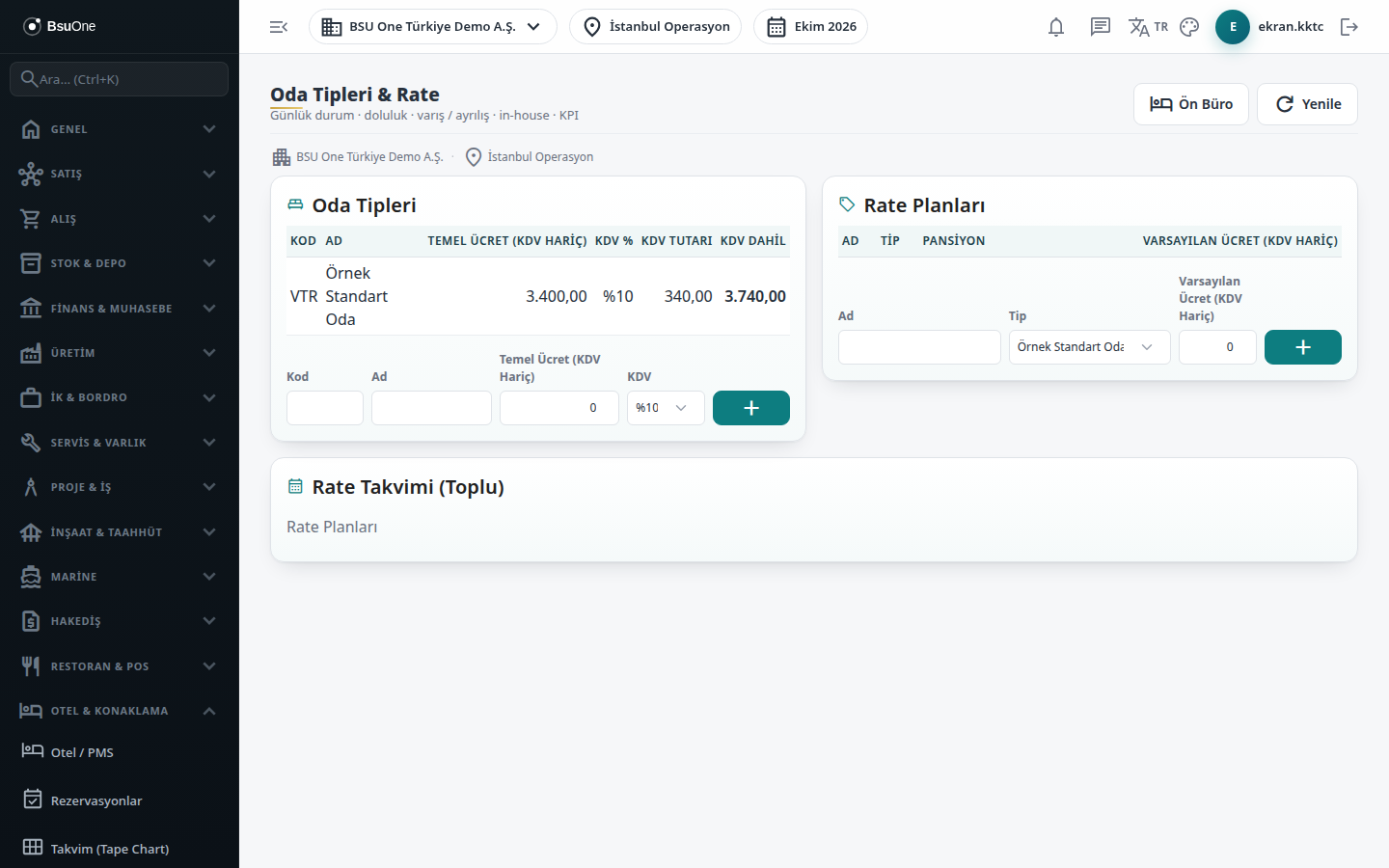
Section titled “What it is for”On this screen you define three things: Room Types (for example Standard, Suite, with a base rate and VAT band), Rate Plans (a price plan tied to a room type) and the Rate Calendar (Bulk) (writing one price over a date range). When a reservation is opened, the nightly price is built from these definitions.
The order of price determination: the selected rate plan’s calendar price for that day; if none, the plan’s Default Rate; if that is zero, the room type’s Base Rate; and if no plan is selected, the room type’s base rate.
Who uses it
Section titled “Who uses it”Hotel manager, revenue management and the reservations officer. On the Hotel Management page of the role screen, View opens the screen, Add allows adding room types and rate plans, and Edit shows the Apply button of the rate calendar.
Screens
Section titled “Screens”- Room Types card: code, name, base rate (excl. VAT) and VAT band; the table shows base rate, VAT %, VAT amount and amount including VAT, which is the price you tell the guest.
- Rate Plans card: plan name, type (room type), default rate (excl. VAT) and board.
- Rate Calendar (Bulk) card: rate plan, start and end date and price; Apply writes the price to all selected days, inclusive of start and end.
Related modules
Section titled “Related modules”Step-by-step screen guides are currently available in Turkish; the links above open them.