
Exchange Rates
What it is for
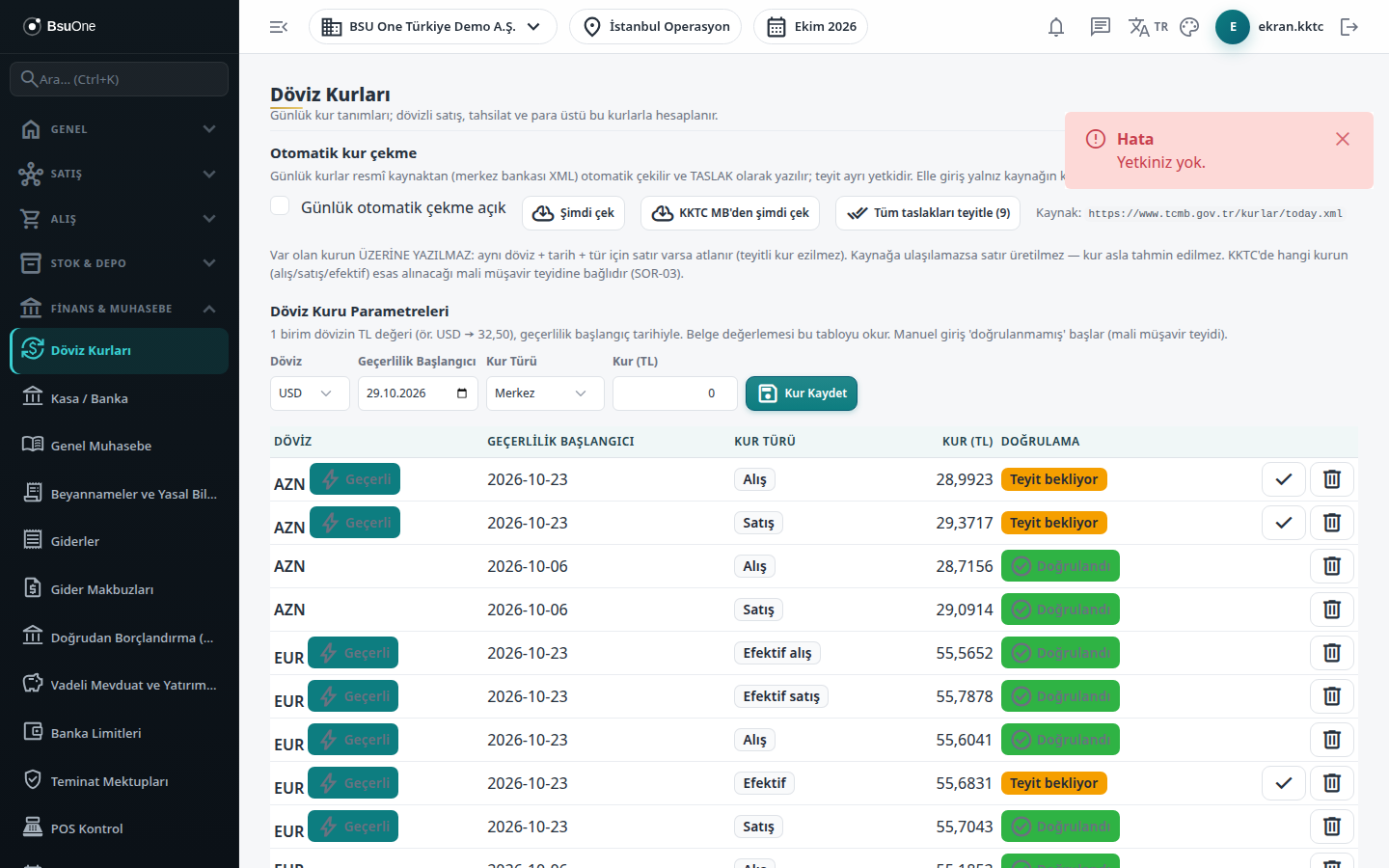
Section titled “What it is for”Exchange Rates (Döviz Kurları) keeps the TL equivalent of 1 unit of a foreign currency as dated rows. Foreign-currency sales, collections and change are calculated with these rates, and document valuation reads this table. Rates can be fetched automatically from the official source (written as drafts) or entered by hand; each rate stays “Awaiting confirmation” until it is confirmed under a separate permission.
Period-end revaluation is not on this screen but in the FX Revaluation module on the General Ledger side.
Who uses it
Section titled “Who uses it”Accounting staff and the cashier. On the Exchange Rates page of the role screen: View shows the screen and the rate list (without it “You do not have permission” appears), Add enters rates, switches automatic fetching on or off and uses Fetch now, Delete removes a rate row. Confirming a rate needs Approve on the General Ledger - Rate Confirmation page; it is a separate permission from entering the rate.
Screens
Section titled “Screens”- Automatic rate fetching (top): Fetch now (the source address shows as “Source:”) and the Daily automatic fetching on box, which writes the daily rates as drafts.
- Manual entry: currency, valid-from date, rate type and rate (TL), only when the source does not publish the rate; save with Save Rate.
- Confirmation: the tick button next to a row, or Confirm all drafts (n).
- Exchange Rate Parameters (bottom): for each currency and rate type, the row valid today is marked Valid; a wrong row can be deleted.
Related modules
Section titled “Related modules”Step-by-step screen guides are currently available in Turkish; the links above open them.