
Marine Projects
What it is for
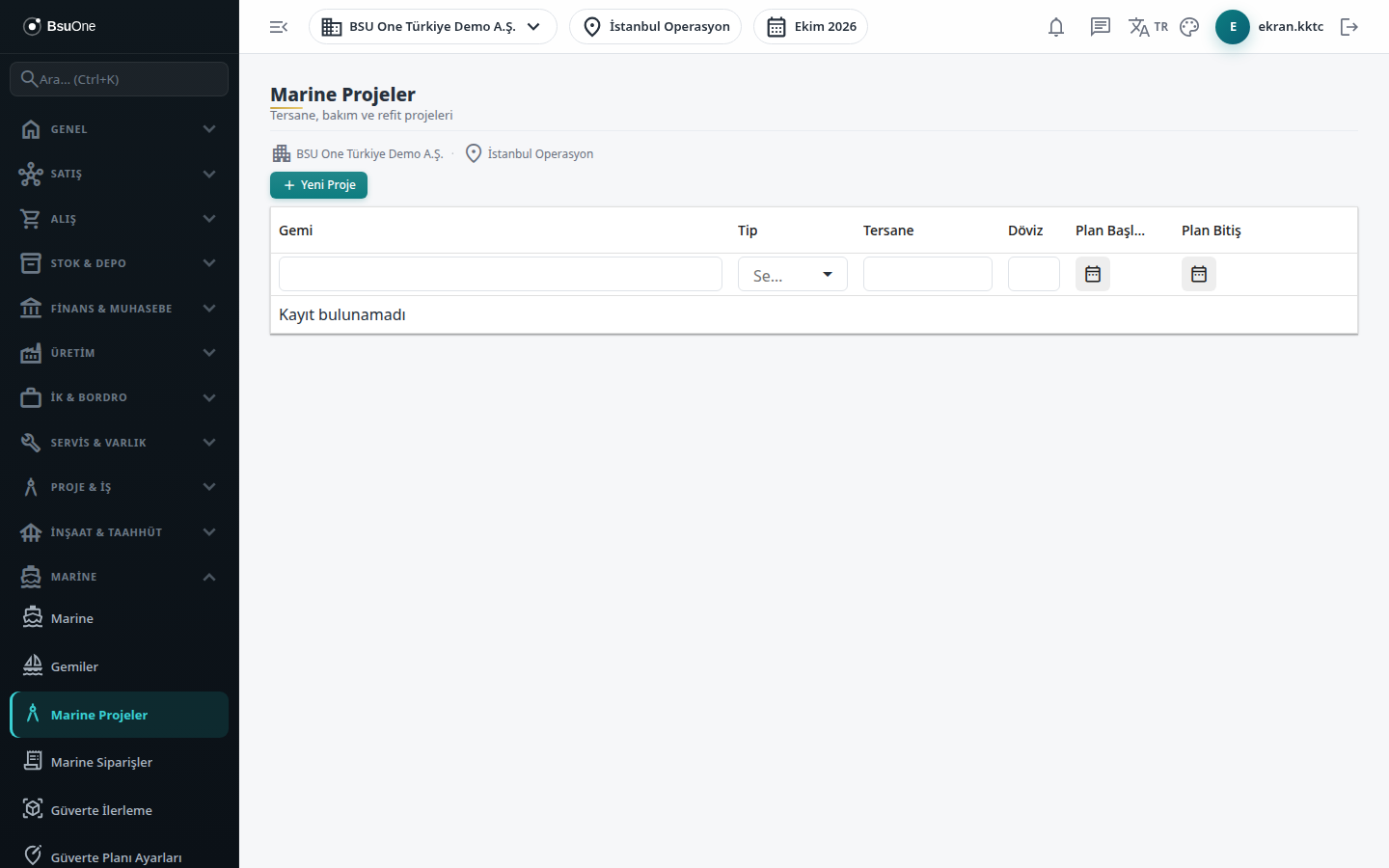
Section titled “What it is for”Marine Projects opens the shipyard work carried out for a vessel (new build, refit, repair, conversion, annual or docking maintenance) as a project. Orders, budget, cost, work order, claim and acceptance records are all tied to this project. Clicking a project row opens the project detail: physical progress, vessel information, budget and spend, objective signals and the latest orders.
Who uses it
Section titled “Who uses it”The project manager, planning and cost officers. On the Marine page of the role screen View, Add, Edit and Delete are checked separately.
Screens
Section titled “Screens”- Project list: if you arrived from the Active Project card on the Marine start page, a filter band shows at the top with a link to clear the filter.
- New Marine Project: vessel, project type, shipyard and contract currency, with planned and actual dates. On saving, the system also opens a main record in Project Management named “Vessel name - Project type” with status Active.
- Row actions: pencil to edit, and the construction icon (Work Order) that opens the work order list filtered to this project.
- Project detail: links back to the project list, the project order chain and the Acceptance & Handover Cockpit. It shows:
- Physical Progress: collected from the project’s plan activities; with no plan activity it reads “no progress data”, never zero.
- Vessel Technical Information card: IMO, type, flag and dimensions; yachts and small boats may have no IMO number, in which case the IMO row is empty.
- Schematic Overhead and Schematic Side View: representative drawings that show no zone percentage.
- Budget & Finance: approved budget, spent and remaining per currency, never added together or converted.
- Objective Signals: over budget or within budget and the count of “open orders past their end date”. Only these signals are calculated; no signal does not mean no problem.
- Latest Orders table.
- Project order chain: master order value, approved and pending change orders, revised contract value and PC Sum (allocated / drawn / remaining).
Related modules
Section titled “Related modules”- Marine
- Vessels
- Marine Orders
- Marine Budget
- Marine Costs
- Marine Claims
- Acceptance & Handover
- Deck Progress
- Projects
- Work Orders
Step-by-step screen guides are currently available in Turkish; the links above open them.