
Marine
What it is for
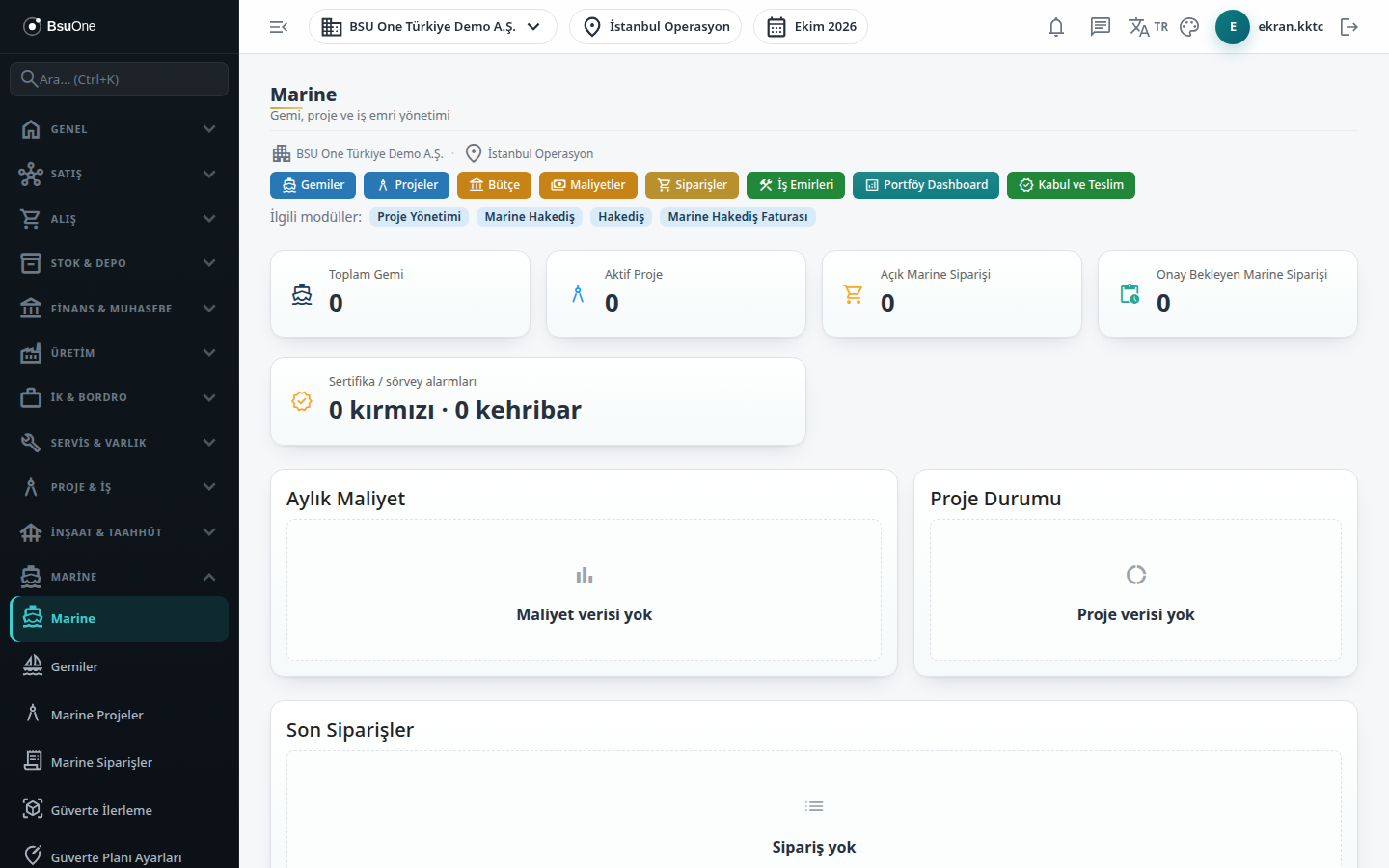
Section titled “What it is for”The Marine screen is the entry page of the Marine package. It shows at a glance the number of vessels and projects in the company, orders awaiting approval, certificate and survey alarms, monthly cost and the distribution of project status. The shortcut buttons at the top take you to the vessel, project, budget, cost, order, work order, portfolio and acceptance screens.
For the end-to-end flow of a shipyard project see the shipyard project guide.
Who uses it
Section titled “Who uses it”The shipyard manager, project manager, planning and purchasing staff. At least View on the Marine page of the role screen is needed; without it a permission warning appears instead of the page.
Screens
Section titled “Screens”- Shortcut buttons: Vessels, Projects, Budget, Costs, Orders, Work Orders, Portfolio Dashboard, Acceptance & Handover.
- Summary cards (clicking opens the related list): Total Vessels; Active Projects (filtered to status active); Open Marine Orders (all except completed and cancelled) and Marine Orders Awaiting Approval (submitted); Certificate / survey alarms with red (window exceeded, expired or no window parameter) and amber counts, which opens the survey calendar.
- Monthly Cost chart: each currency in its own chart for the last 12 months; currencies are not added or converted, and only actual cost counts.
- Project Status chart and the Latest Orders table (last 10 orders).
- Related modules strip: links to Project Management, Marine Claims, Claims and the Marine claim invoice; only modules visible in your menu appear.
Related modules
Section titled “Related modules”- Vessels
- Marine Projects
- Marine Orders
- Marine Budget
- Marine Costs
- Portfolio Dashboard
- Acceptance & Handover
- Marine Claims
- Survey Calendar
- Work Orders
Step-by-step screen guides are currently available in Turkish; the links above open them.