
Dispatch Note
What it is for
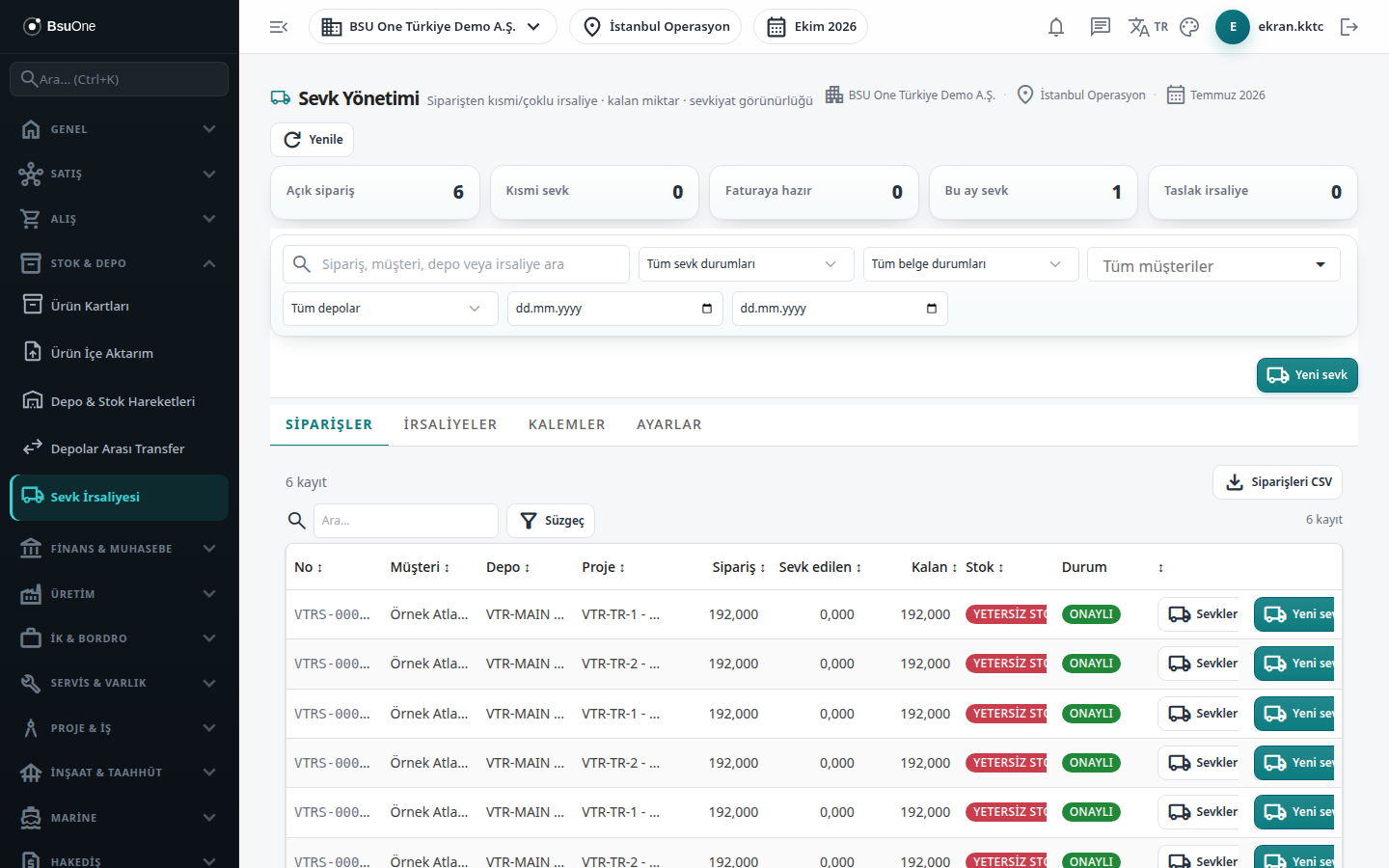
Section titled “What it is for”Dispatch Management (Sevk Yönetimi) cuts one or more dispatch notes from a sales order by selecting items and quantities. Each dispatch note reduces the order’s remaining quantity; once the order is fully shipped it counts as “Ready to invoice”. A dispatch note is born as a Draft, stock leaves when it is approved, and the invoice can be cut from it.
The top of the screen has five summary tiles: Open orders, Partial shipment, Ready to invoice, Shipped this month and Draft dispatch notes.
Who uses it
Section titled “Who uses it”Warehouse and shipping staff and the sales officer. The Documents page permissions are used: View, Add (cutting dispatch notes, bulk approval setting) and Delete (deleting drafts).
Screens
Section titled “Screens”- Orders (Siparişler): orders to be shipped, remaining quantity, stock warning, shipping history.
- Dispatch Notes (İrsaliyeler): cut notes; bulk approval, bulk printing, deletion.
- Lines (Kalemler): dispatch lines with lot, serial and VAT columns.
- Settings (Ayarlar): payment required before shipping.
Typical workflow
Section titled “Typical workflow”- On the Orders tab find the order and open the planner with New shipment.
- Enter the line quantities and create the dispatch note.
- Have the note approved on the Dispatch Notes tab.
- Invoice it from Sales Management.
Related modules
Section titled “Related modules”Step-by-step screen guides are currently available in Turkish; the links above open them.