
Subscriptions
What it is for
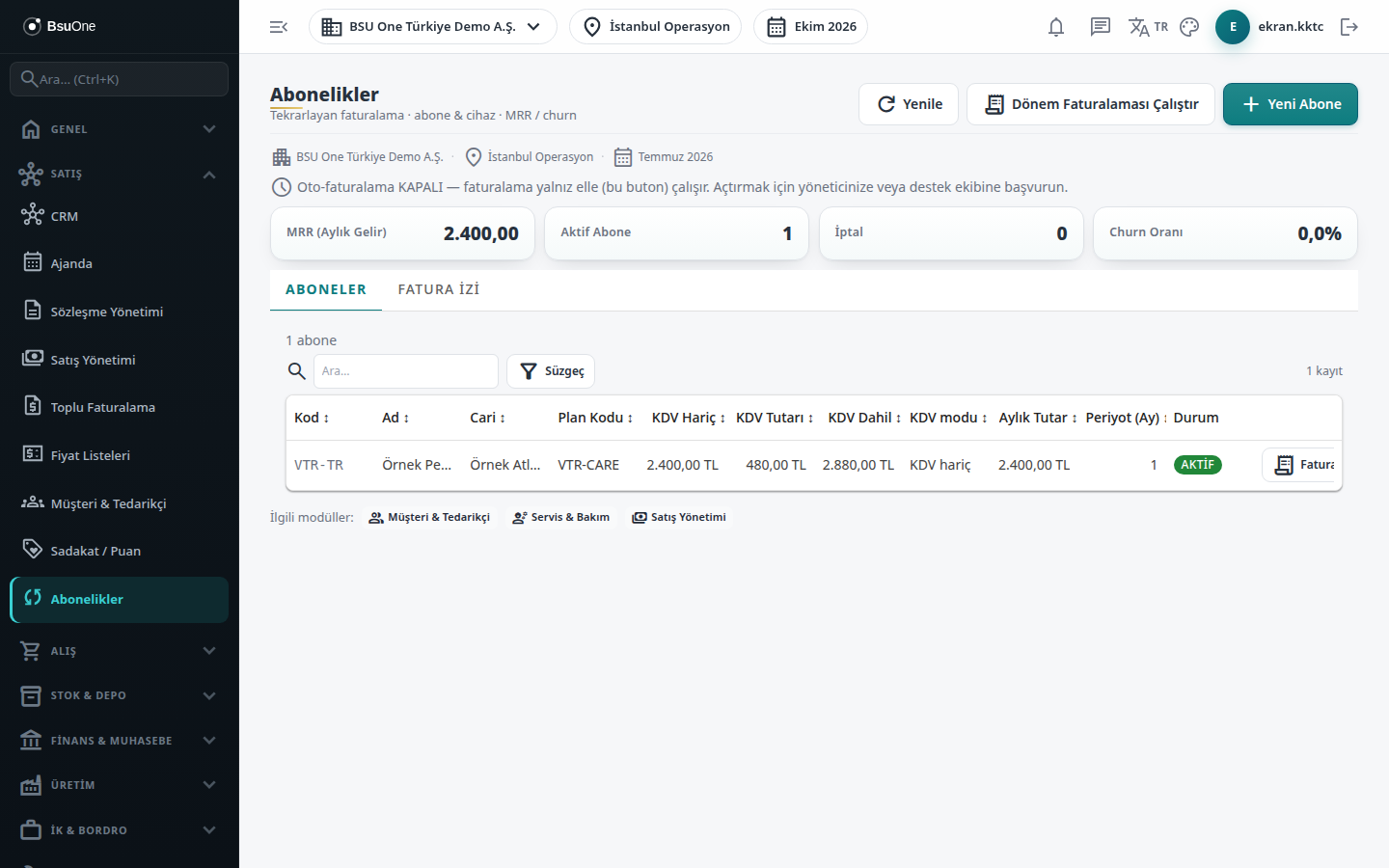
Section titled “What it is for”Subscriptions (Abonelikler) manages the services you bill to customers at regular intervals (monthly, quarterly, yearly and so on): subscriber card, plan code, monthly amount, VAT, devices and period billing. The indicators at the top show monthly recurring revenue (MRR), the number of Active Subscribers and cancellations, and the Churn Rate. Billing produces a draft sales invoice for each period; approval and the accounting effect arise when the invoice is approved.
Who uses it
Section titled “Who uses it”Sales, subscription management and service staff. The screen depends on the Service / Technical Service permission page: View opens the screen, Add adds subscribers and devices, Edit allows billing, freezing, renewal and cancellation, and Delete deletes a draft subscriber.
Screens
Section titled “Screens”- Auto-billing status line at the top: tells whether auto-billing is on; when on, active subscribers automatically get a Draft invoice when due while the scheduler runs.
- Subscribers (Aboneler): subscriber list and card, devices, billing, freezing, renewal and cancellation.
- Invoice Trail (Fatura İzi): records of period billing; which subscriber was billed for which period with which invoice.
Typical workflow
Section titled “Typical workflow”- On the Subscribers tab open a subscriber with New Subscriber, enter the plan and amount and add devices.
- Press Run Period Billing to produce draft invoices in bulk for all subscribers whose billing is due, or bill one subscriber with Invoice.
- Follow the results in Invoice Trail.
- Approve the draft invoices in Sales Management.
Related modules
Section titled “Related modules”Step-by-step screen guides are currently available in Turkish; the links above open them.