
Digital Menu
What it is for
Section titled “What it is for”Digital Menu / QR Menu prepares the menu guests see on their phones from your restaurant menu. The menu consists of sections and products picked from the branch’s product pool and stays live in a given date range. The guest only views and does not place orders. Next to the prices the note “Prices include VAT.” and allergen information are shown.
You can prepare a weekly or seasonal menu in advance and carry it to the next period with “Copy to Next Period”.
Who uses it
Section titled “Who uses it”The restaurant manager and the menu officer. View on the Restaurant / Order page of the role screen to see the screen and Edit to prepare menus. Two separate permissions also exist: Edit on Digital Menu - Publish shows the Publish button, and Edit on Digital Menu - Translation shows the Translation tab.
Screens
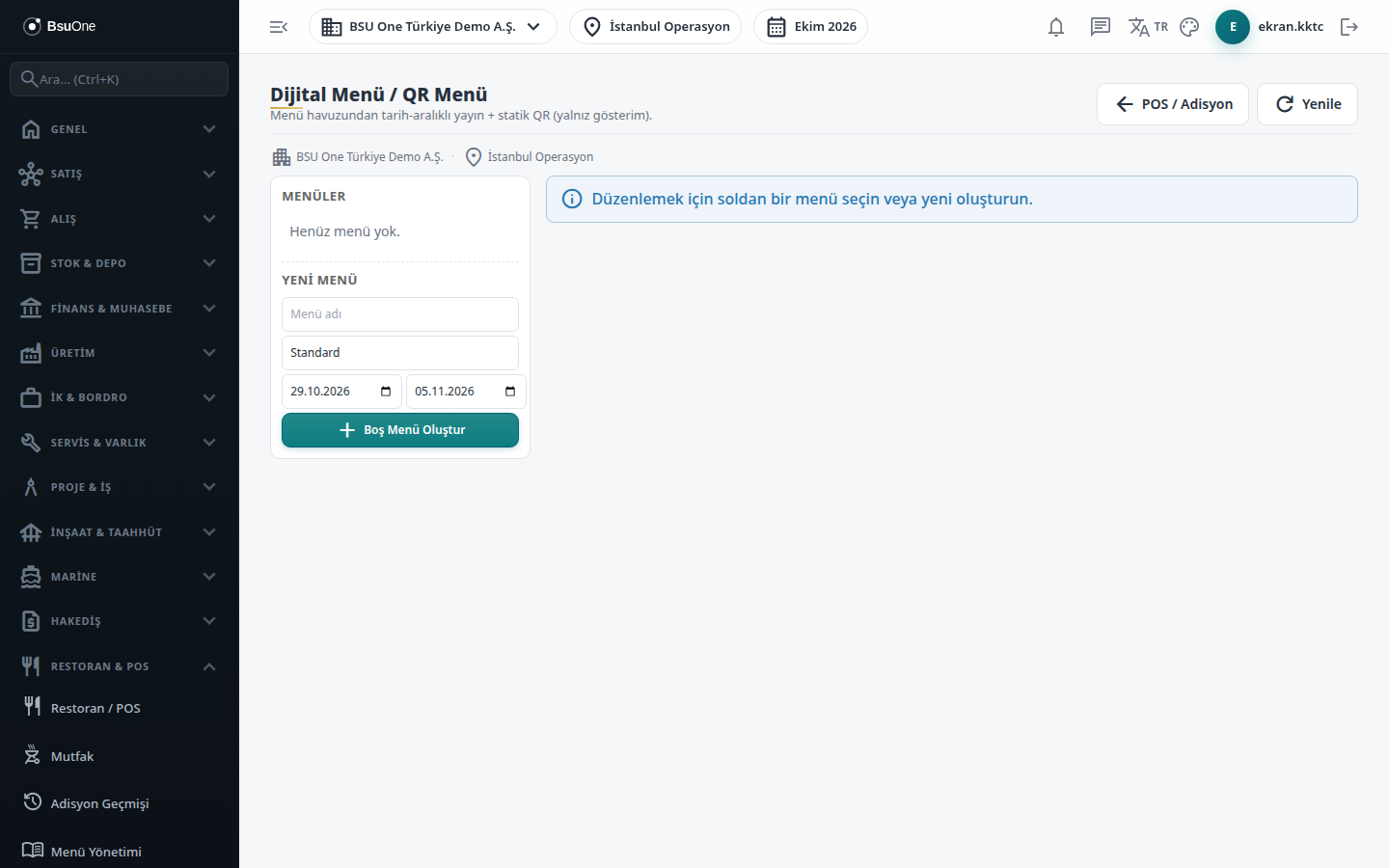
Section titled “Screens”- Menus list (left) and New Menu: menu name, type (for example Standard, Breakfast) and validity start / end, then Create Empty Menu.
- Planner (Planlayıcı): arrange sections and products.
- Preview (Önizleme): the guest’s view for each language.
- QR Code (QR Kod): produce and print the QR.
- Translation (Çeviri): translate section and product names.
- Publish and Archive: if the start date is after today, the menu becomes Scheduled and goes live when its date arrives.
Typical workflow
Section titled “Typical workflow”- Create the menu and select it.
- Arrange sections and products in the Planner, check each language in Preview and translate if needed.
- Press Publish.
- Produce and print the QR code.
Related modules
Section titled “Related modules”Step-by-step screen guides are currently available in Turkish; the links above open them.