
Legal Rule Sets
What it is for
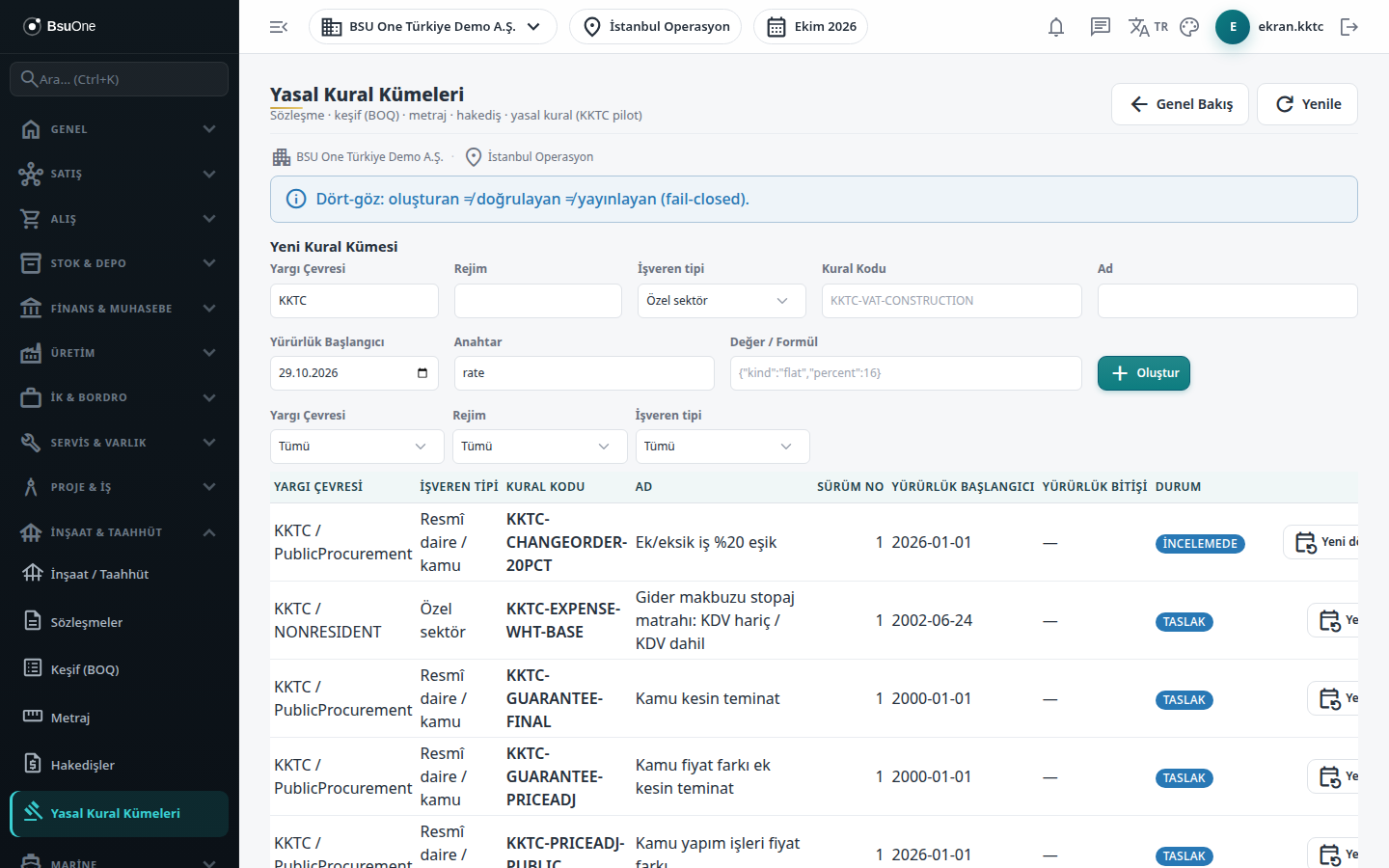
Section titled “What it is for”The rate and calculation rule of the official components of a progress claim (VAT, income/corporate withholding, VAT withholding, price difference) are read from the rule sets on this screen; the product does not hold these values built in. Each rule set is tied to a jurisdiction, an employer type (Public body or Private sector) and a rule code, and carries an effective date, source and evidence. There is no “All” employer type: a rule valid for both employers is entered as a separate row for each. A claim takes the employer type from the contract regime and uses only that employer type’s row, never another employer’s or another country’s.
A rule set passes through Draft, In Review, Verified and Published; a version that is withdrawn becomes Invalidated. Only a Published row whose effective date covers the claim date is used in calculation. Published claims keep the rule they used in their record and are not recalculated when a rule later changes.
The same screen also opens in the Marine package, from the Marine menu; rule sets are at tenant level, not company level, and are shared between packages.
Who uses it
Section titled “Who uses it”A tax advisor or accounting officer prepares the rule, a separate authorized person verifies, and a third person publishes. Permission is separate from screen access: the Construction claim legal rules (withholding/VAT) page (for Marine, Marine claim legal rules (withholding/VAT)) is needed. Add or Edit prepares and sends for review; Approve verifies, publishes and invalidates. View alone opens none of these actions. The rule’s creator, verifier and publisher must be three different people; a button that breaks this is shown disabled with the reason on hover, and even an administrator cannot skip the rule.
Screens
Section titled “Screens”- New Rule Set: jurisdiction, optional regime, employer type, rule code, name and effective start.
- Rule list and filters: filter by jurisdiction, regime and employer type; the list shows employer type and effective end.
- Rule status buttons: Send for Review, Verify, Publish, Invalidate; a rule with no rows cannot be sent for review.
- New period (Yeni dönem): pre-fills the form from the selected rule and suggests a start date.
Typical workflow
Section titled “Typical workflow”- Open Legal Rules under Construction / Contracting and fill in New Rule Set.
- Send the draft for review.
- A different person verifies it.
- A third person publishes it.
- To change a published rule, open a new version, publish it the same way, and invalidate the old version.
Related modules
Section titled “Related modules”Step-by-step screen guides are currently available in Turkish; the links above open them.